As an Amazon Associate I earn from qualifying purchases.
Put the window to the side, not behind you
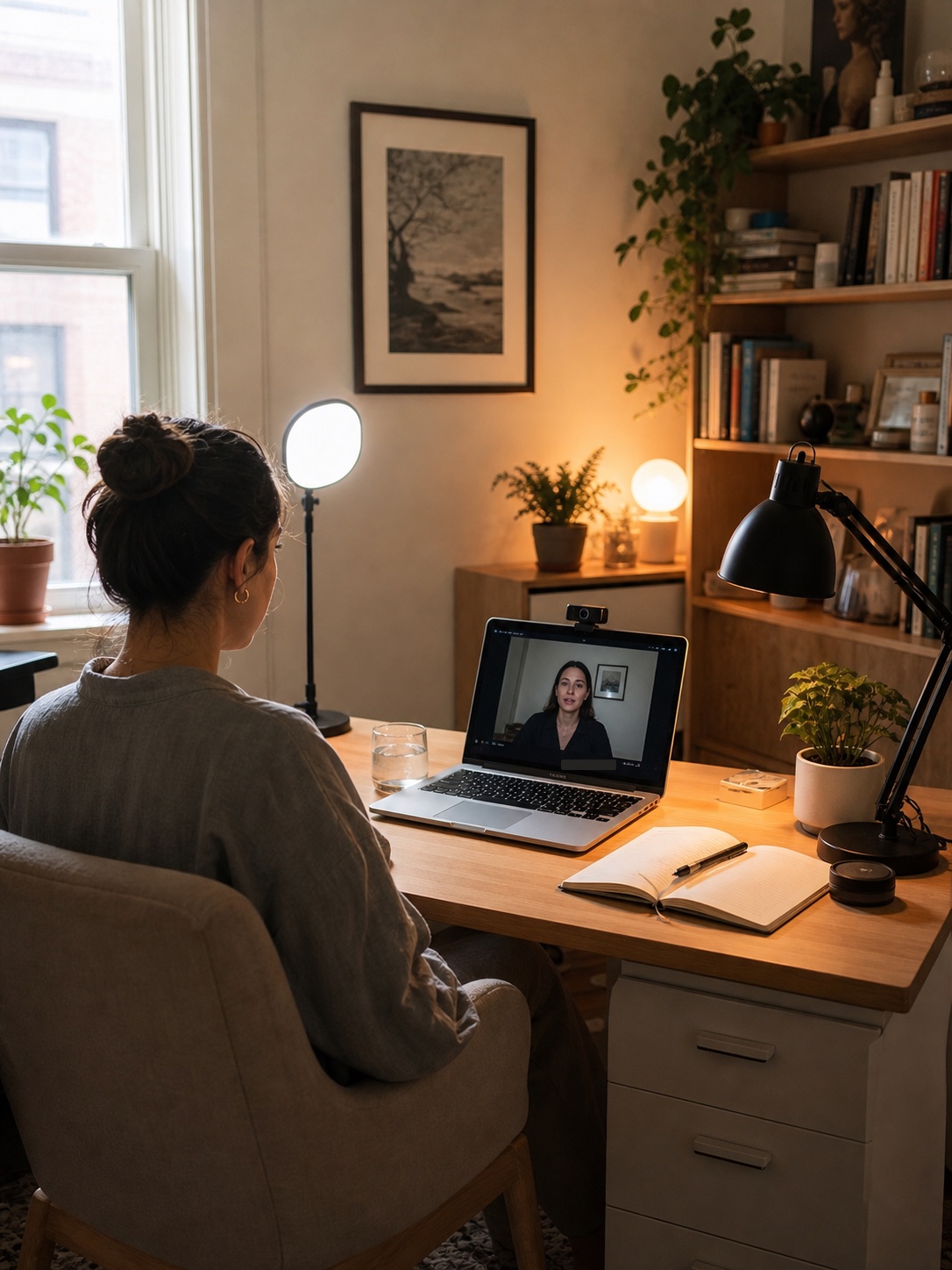
A window behind your chair usually turns your face dark. A window directly in front can be too bright and uncomfortable. Side window light is often the easiest starting point because it adds natural brightness without making the screen fight the sun.
If the window has harsh afternoon light, add a sheer curtain or move the desk slightly so the laptop is not catching a direct reflection.
Browse sheer curtains on Amazon
Add one soft front light
A small diffused light beside or just behind the laptop can make a huge difference. It does not need to be large. The important part is softness and position. A bare bright bulb creates shine and hard shadows. A diffused lamp or small panel is usually easier on the face.
Browse video conference lights on Amazon
Keep the task lamp useful, not blinding
Your regular desk lamp should help you read and write, but it should not point directly at your eyes or camera. Angle it toward the desk surface. If it is visible in the frame, choose a shade or bulb that looks warm instead of harsh.
Browse adjustable task lamps on Amazon
Use a background lamp for depth
A small lamp behind you can make the room look more intentional on calls. It separates you from the background and keeps the frame from feeling flat. Place it low on a cabinet, shelf, or side table rather than directly behind your head.
Browse warm background lamps on Amazon
Check the screen before buying more gear
Before adding another light, open the camera preview and check three things: is your face brighter than the background, is there glare on glasses or the screen, and does the background look distracting? Small desk shifts often solve more than another gadget.
Browse laptop stands on Amazon
Best buying order
- Sheer curtain or shade: softens harsh window light.
- Small diffused front light: improves face lighting on calls.
- Adjustable task lamp: helps work without glaring into the camera.
- Warm background lamp: gives the room depth.
- Webcam or laptop riser: improves camera height or image quality after the lighting is handled.
If your laptop camera still looks soft or sits too low after you fix the light, a simple external webcam is the next useful upgrade. Choose one that clips on quickly and does not turn the desk into a mini studio.
Once the light itself is working, the next improvements are usually about what the camera sees around the laptop. A wireless keyboard and mouse can make the desk feel less cable-heavy, and one shelf zone above the desk can clear the work surface without making supplies disappear into another room.
Recommended video call lighting product
Product images are added only from approved affiliate/API assets.
Clip-on video conference light
Compare this if your room is mostly fine but your face still looks dim, flat, or shadowed on calls. Put it near the camera and keep the brightness soft rather than harsh.
See options on AmazonAdjustable laptop riser
Add this after the lighting is handled. Raising the laptop closer to eye level usually makes the frame feel more natural and keeps the desk setup compact.
See this riser on Amazon1080p external webcam
Use this when lighting is already better but the built-in laptop camera still looks too soft or sits at an awkward angle. A basic clip-on webcam keeps the setup tidy and easier to leave in place.
See this webcam on AmazonWireless keyboard and mouse set
Add this after the lighting works if the wired setup still makes the desk look busy on camera. The main benefit is a calmer surface around the laptop, not a dramatic technical upgrade.
See this keyboard and mouse set on AmazonFloating wall shelves
Use one shelf zone when notebooks, chargers, and bins keep creeping into the frame. It frees desk depth for calls while keeping everyday tools close enough to grab between meetings.
See these floating shelves on AmazonQuick checklist
- Is the brightest soft light in front of your face?
- Is the window beside you instead of behind you?
- Can you work at night without a harsh overhead light?
- Does the background have one warm light source?
- Does the camera sit close to eye level?