As an Amazon Associate I earn from qualifying purchases.
Start with the power strip, not the clips
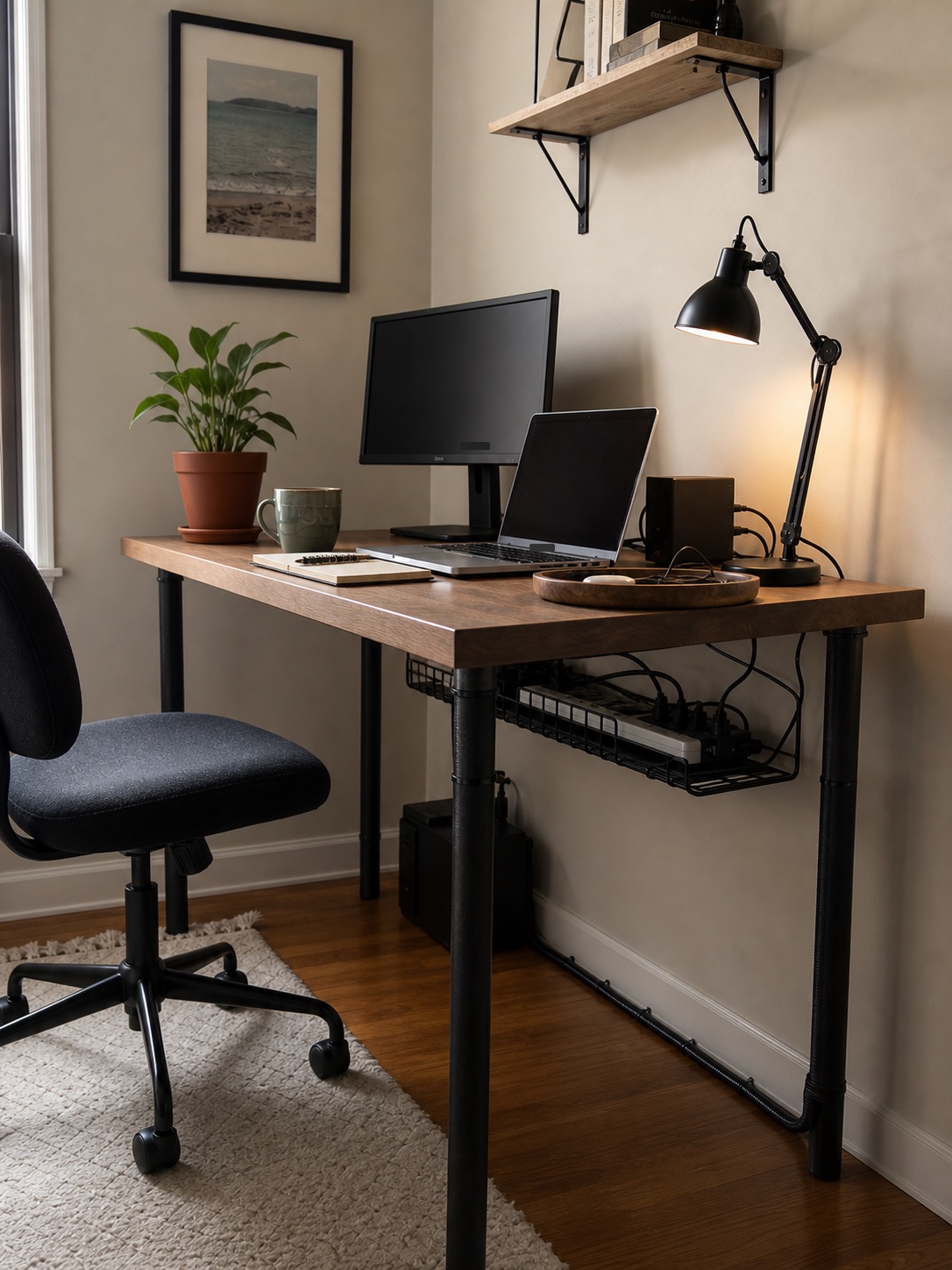
The power strip is the anchor. If it sits on the floor, every cable has to travel down, spread out, and come back up again. Mounting or placing the strip in an under-desk tray usually makes the biggest visual difference.
Choose a place that is reachable from your chair. A beautiful hidden setup becomes frustrating if you have to crawl under the desk every time you change a charger.
Browse mountable power strips on Amazon
Use a tray for the heavy mess
An under-desk cable tray is useful when you have a monitor, laptop dock, lamp, phone charger, and power strip. The tray keeps the heavy pieces off the floor and gives loose cable length somewhere to live.
For renters or thin desks, check whether the tray clamps on or screws in. Clamps are easier to move. Screws can feel sturdier, but only if the desktop material can handle them.
Browse no-drill cable trays on Amazon
Use a small under-desk organizer for the pieces that never stay put
Once the tray handles the heavy mess, the next problem is usually the loose little things: a spare charger, one adapter, pens, or the notebook that keeps sliding toward the back edge. A clamp-on under-desk organizer gives those pieces one reachable home without putting them back on the desktop.
This works best when the organizer sits on the non-writing side of the desk. You keep the top surface cleaner, but still have a place for the items you grab every day instead of tossing them into the tray with the power strip.
See this clamp-on under-desk organizer on Amazon
Clips are for direction, not storage
Cable clips work best as routing points. Use them to guide one cord along a desk leg, under the back edge, or toward a tray. Do not expect tiny adhesive clips to hold the whole mess of power bricks and extra cable length.
Browse adhesive cable clips on Amazon
Sleeves make sense when several cables travel together
A sleeve is helpful when monitor, laptop, and lamp cables all run down the same path. It turns several visual lines into one cleaner line. Use a sleeve where the cable bundle is visible, then let the extra length sit in the tray.
Browse split cable sleeves on Amazon
Keep one charging zone on the desktop
Most desks need one visible charging spot. A small tray or corner near the lamp is better than pretending every cable can disappear. Keep the daily charger accessible and hide the cables that do not need to move.
Browse desktop charging trays on Amazon
Best buying order
- Under-desk tray: holds the power strip and extra cable length.
- Power strip with enough spacing: prevents bulky adapters from blocking every outlet.
- Cable sleeve: bundles visible cables into one cleaner run.
- Adhesive or screw clips: guide cords along desk edges and legs.
- Desktop tray: keeps the one visible charging zone intentional.
Browse cable management kits on Amazon
Recommended cable management products
Product images are added only from approved affiliate/API assets.
No-drill under-desk cable tray
Best first buy if the power strip and extra cord length are sitting on the floor. A clamp tray is especially useful for renters or desks you do not want to drill into.
See options on AmazonSplit cable sleeve
Use this when monitor, lamp, and charger cables travel together down one desk leg or toward one outlet. It turns several visible lines into one cleaner path.
See options on AmazonSelf-adhesive cable clips
Use clips for direction, not storage. They are best for charger ends, lamp cords, and single cables that need to follow the back edge or underside of the desk.
See options on AmazonClamp-on under-desk organizer
Use this after the tray is in place if chargers, adapters, pens, or one small notebook still drift back onto the desktop. It gives the little daily-grab items one reachable zone without mixing them into the cable pile.
See this clamp-on under-desk organizer on AmazonQuick checklist
- Can the power strip be reached without moving the desk?
- Are power bricks supported instead of hanging from cords?
- Does the cable path follow a desk leg or back edge?
- Is there one visible charging spot instead of five?
- Can you unplug a laptop or lamp without cutting zip ties?